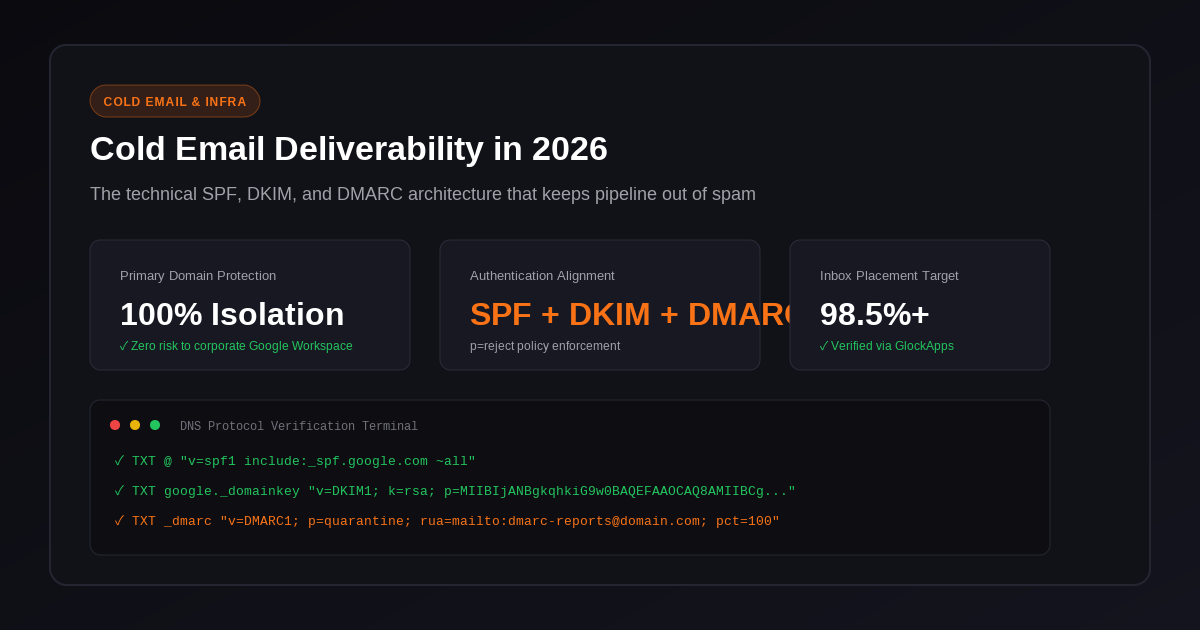
Cold Email Deliverability in 2026: The SPF, DKIM, and DMARC Playbook
In outbound B2B lead generation, the best copywriting in the world is useless if your messages land in the spam folder or quarantine queue. Since major email service providers like Google Workspace and Microsoft 365 implemented strict sender requirements, technical deliverability is no longer optional—it is the foundation of every successful outbound sales engine.
This guide details the exact domain architecture, DNS authentication protocol, and warmup pacing I deploy for client outreach campaigns.
1. Domain Isolation: Protecting Your Primary Brand
Never send cold outbound emails from your primary company domain (e.g., company.com). If an aggressive campaign receives unexpected spam flags or bounces, your company's transactional emails, client invoices, and internal communications will be penalized.
Recommended Secondary Domain Architecture:
- Purchase 2 to 4 secondary lookalike domains (e.g.,
getcompany.com,trycompany.com,companygrowth.com). - Setup Google Workspace or Microsoft 365 tenant accounts across these domains.
- Create 2 user inboxes per domain (e.g.,
purnima@getcompany.com). - Set 301 redirects on all secondary root domains pointing back to your primary company website.
2. Technical DNS Configuration
Each secondary sending domain must have strict DNS authentication configured via Cloudflare or your DNS provider.

A. Sender Policy Framework (SPF)
SPF specifies which IP addresses and mail servers are authorized to send email on behalf of your domain:
Type:  TXT
Host:  @
Value: v=spf1 include:_spf.google.com ~all
Warning: Ensure you have only one SPF record per domain. Multiple SPF records cause an automatic permanent failure (PermError) at receiving mail servers.
B. DomainKeys Identified Mail (DKIM)
DKIM attaches a cryptographic digital signature to email headers, allowing the recipient's mail transfer agent (MTA) to verify that the email originated from the declared sender and was not altered in transit.
Type:  TXT
Host:  google._domainkey
Value: v=DKIM1; k=rsa; p=MIIBIjANBgkqhkiG9w0BAQEFAAOCAQ8AMIIBCgKCAQEA...
C. Domain-based Message Authentication (DMARC)
DMARC links SPF and DKIM together and instructs receiving servers on what to do if authentication checks fail:
Type:  TXT
Host:  _dmarc
Value: v=DMARC1; p=quarantine; rua=mailto:dmarc-reports@getcompany.com; pct=100
3. Warmup Schedule & Sending Velocity Limits
Mailbox reputation must be established gradually over a minimum 14-day window. Never start sending 50 cold emails on day one.
| Day Range | Automated Warmup Emails/Day | Cold Outreach Emails/Day | Total Daily Volume |
|---|---|---|---|
| Day 1 – 4 | 5 – 10 emails | 0 (Warmup only) | 10 |
| Day 5 – 8 | 15 – 25 emails | 0 (Warmup only) | 25 |
| Day 9 – 14 | 30 – 35 emails | 5 – 10 emails | 40 |
| Day 15+ | 20 emails | 25 – 30 emails | 50 (Capped max per inbox) |
4. Deliverability Verification Checklist
Before activating any outreach campaign in Instantly or Smartlead:
- Verify MX, SPF, DKIM, and DMARC using GlockApps or Mail-Tester.
- Ensure bounce rate is strictly maintained below 2.0% by scrubbing leads through Scrubby or MillionVerifier.
- Configure a Custom Tracking Domain (CNAME) with SSL to avoid sharing generic click-tracking domain reputations.
- Keep plain text emails without heavy image payloads, tracking pixels, or shortened URLs (
bit.ly).
Implementing this architecture ensures your outbound emails consistently hit the primary inbox, maintaining healthy reply rates and consistent client pipeline.